npukit


Put the AMD Ryzen AI NPU to everyday use on Linux: a local LLM API, push-to-talk dictation, screenshot OCR and semantic search over your notes and code. All of it runs on the XDNA2 NPU through FastFlowLM, and the model leaves the NPU as soon as it goes idle. No NPU? The same tools run on a GPU (or the CPU) through llama.cpp and whisper.cpp: see Without an NPU.
Features
npud: an OpenAI-compatible endpoint on127.0.0.1:13306(/v1/chat/completions,/v1/embeddings,/v1/audio/transcriptions,/v1/models). It owns the one FastFlowLM process the NPU can host, starts it on demand with whatever the last few requests needed (chat model, Whisper, embeddings), and stops it after an idle timeout that is shorter on battery. It is socket-activated: with nothing loaded it exits, so idle cost is zero.- Dictation (
npu dictate): press a key, talk, press again. The recorder starts at once and Whisper loads on the NPU while you talk. The text is typed into the focused app (wtype) and copied to the clipboard. - OCR (
npu ocr): select a screen region; a vision model on the NPU transcribes it to the clipboard.--translate [LANG]also translates it (default English) with the chat model, still on the NPU;--pickfirst opens a searchable language list (recent ones on top, any unlisted language can be typed).--describeor--ask "…"asks about the image instead. - Translate a message (
npu translate): an eww overlay. Pick a language (recent ones first, or type any language), write the message, press Enter: the translation shows up and is copied. Enter again on the same text closes the overlay and types the translation into the window you were in, so you can write in your language and send in theirs. It runs its own eww instance with colours from[translate.colors], so an existing eww setup is left alone.npu translate -t sv "text"prints a translation without the overlay. - Semantic search (
npu index,npu search): EmbeddingGemma on the NPU, an incremental SQLite index (git repos index tracked and untracked-but-not-ignored files), a systemd timer to keep it fresh, and a terminal or rofi front end that opens hits in your editor at the right line. - Power-aware: a power mode per power source (
powersaveron battery) and a shorter unload timeout on battery. - Status:
npu status, plus a waybar module that only changes when something happens (signal-driven, no polling). npu bench: tokens/s, time to first token and power (APU package power from the amdgpu sensor, system draw from the battery), for NPU models and for any other OpenAI-compatible server (e.g. llama.cpp on the iGPU).
What runs where
| Piece | Runs on | Notes |
|---|---|---|
| Chat / coding LLMs (Qwen3.5, gpt-oss, Llama, Gemma…) | NPU | FastFlowLM; tokenizer and sampling on the CPU |
| Vision (OCR, describe) | NPU | Qwen3.5 / Qwen3-VL via FastFlowLM |
| Speech to text | NPU | Whisper large-v3-turbo via FastFlowLM |
| Embeddings | NPU | EmbeddingGemma 300M via FastFlowLM (expect ~half a CPU core of host work) |
| Recording, typing, search ranking | CPU | pw-record, wtype, numpy dot products |
The NPU has room for one chat model plus one helper (Whisper or embeddings): all three together fail with
DRM_IOCTL_AMDXDNA_CREATE_HWCTX … Invalid argument, and a second FastFlowLM process can't get an NPU context
while a chat model is loaded. npud handles this: when a request needs a third component it restarts
FastFlowLM with the two most recently used.
Requirements
- AMD Ryzen AI 300/400 (XDNA2 NPU), Linux with the in-tree
amdxdnadriver (kernel 7.0+) and NPU firmware 1.1+ - FastFlowLM (
flm) 1.0.12 or newer, with XRT and the amdxdna XRT plugin (Arch:pacman -S fastflowlm). Check the stack withflm validate. Before 1.0.12,embed-gemmareturned vectors unrelated to the model (different after every restart) and stalled the NPU (aie2_tdr_detect: TDR timeoutin the kernel log), so search results were noise. If your distro is behind, unpack the upstreamfastflowlm_<ver>_linux.tar.gzanywhere and set[server] flm = "/path/to/flm". - Python 3.11+. numpy is optional (faster search); install it from your distro (
python-numpy). - Desktop tools:
pw-record(PipeWire),wl-clipboard,notify-send,rofi, a region screenshotter that can print a PNG (hyprshot --raw, orgrim -g "$(slurp)" -), optionallywtypefor typing dictated and translated text, and eww 0.6+ for thenpu translateoverlay.
Install
git clone https://github.com/Tjabooo/npukit && cd npukit
./install.sh            # ~/.local/share/npukit + venv, ~/.local/bin/npu, systemd user units
flm pull qwen3.5:4b && flm pull whisper-v3:turbo && flm pull embed-gemma:300m
npu ask "hello"         # first request starts the gateway and loads the model
install.sh enables npud.socket (the gateway starts on the first request) and npu-index.timer
(index refresh every 30 minutes). Re-run it after git pull.
Usage
npu status                 gateway, loaded models, NPU runtime state, index size
npu models                 aliases + installed NPU models
npu load quality           load a model now (fast | quality | vision | any flm tag | stt | embed)
npu stop                   free the NPU
npu ask "question"         one-shot answer (add -m quality, --think, --read PATH)
npu chat                   conversation; reads the folders in [tools] read (/read PATH adds one, /help)
npu dictate                toggle recording (also: start | stop | cancel)
npu transcribe file.wav    speech to text for a file
npu ocr [--describe]       screen region → text on the clipboard
npu ocr --translate [sv]   screen region → text translated (default English) on the clipboard
npu ocr --pick             choose the language in a searchable rofi list, then the region
npu translate              overlay: pick a language, write, Enter translates + copies, Enter again types it
npu translate -t de "hi"   translate and print, no overlay
npu index [--full]         update the search index
npu search "query"         semantic search (--rofi for the picker)
npu menu                   rofi menu with all of the above
npu bench fast quality --pmode powersaver,balanced,performance
npu bench --other Qwen3.5-4B-GGUF     # compare with a model on another server (default: Lemonade)
Any OpenAI client can use http://127.0.0.1:13306/v1 with model names fast, quality, vision or any
FastFlowLM tag (Lemonade-style names like qwen3.5-4b-FLM work too).
Hyprland
local npu = os.getenv("HOME") .. "/.local/bin/npu "
hl.bind("SUPER + SHIFT + Print", hl.dsp.exec_cmd(npu .. "ocr"))           -- region → text
hl.bind("SUPER + CTRL + Print",  hl.dsp.exec_cmd(npu .. "ocr --pick"))      -- pick language, region → translated text
hl.bind("SUPER + CTRL + T",      hl.dsp.exec_cmd(npu .. "translate"))     -- translate a message (overlay)
hl.bind("SUPER + ALT + D",       hl.dsp.exec_cmd(npu .. "dictate"))       -- dictate toggle
hl.bind("SUPER + ALT + S",       hl.dsp.exec_cmd(npu .. "search --rofi")) -- semantic search

-- Esc closes the translate overlay: npukit enters this submap when the overlay opens and leaves it when it
-- closes (config below). Only Esc and the toggle are bound in it, so typing reaches the overlay as usual.
local function npu_translate_close()
    hl.exec_cmd(npu .. "translate --close")
    hl.dispatch(hl.dsp.submap("reset"))
end
hl.define_submap("npu-translate", function()
    hl.bind("Escape", npu_translate_close)
    hl.bind("SUPER + CTRL + T", npu_translate_close)
end)
[translate]
on_open = ["hyprctl", "dispatch", 'hl.dsp.submap("npu-translate")']
on_close = ["hyprctl", "dispatch", 'hl.dsp.submap("reset")']
# hyprland.conf instead of hyprland.lua: ["hyprctl", "dispatch", "submap", "npu-translate"] / "reset"eww gives no way to catch Esc itself, hence the submap; without it the overlay closes with its ✕, the toggle bind, or after Enter-again types the translation.
Waybar
"custom/npu": {
  "exec": "cat ~/.local/state/npukit/bar.json 2>/dev/null || echo '{\"text\":\"NPU\",\"class\":\"off\"}'",
  "return-type": "json",
  "signal": 16,
  "on-click": "~/.local/bin/npu menu",
  "on-click-right": "~/.local/bin/npu stop"
}
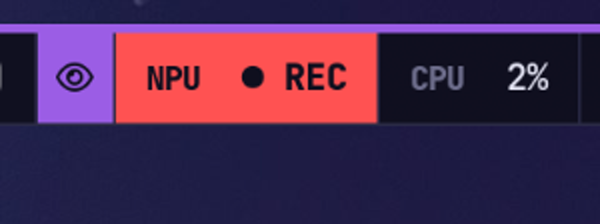
Classes: off, loading, ready, busy (plus stt/ocr/index while a tool runs), rec while dictating, error.
The gateway rewrites the file and sends SIGRTMIN+16 to waybar on every change, so the bar never polls.
Next to it, status.json holds the same state for scripts: state, activity, components, chat_model,
pmode, power, last_tps, updated.
Reading your files
npu ask and npu chat can read files when you grant folders. The model gets four read-only tools
(list a folder, find files, search text, read a file in pages) and uses them before it answers; it can't write,
delete or run anything. Paths outside the granted folders, symlinks that lead out of them and anything on
[tools] deny (keys, .env, .ssh/, browser profiles, …) are refused.
[tools]
read = ["~/Projects", "~/Documents"]   # permanent; `--read PATH` or `/read PATH` adds one for a session
model = "quality"                       # used with file access unless -m is given
npu ask "what does ~/Projects/helix-hollow do?"
npu chat --read ~/notesConfiguration
~/.config/npukit/config.toml; every key is optional. See config.example.toml for
all of them. The ones you'll most likely touch:
[models.aliases]
fast = "qwen3.5:4b"
quality = "gpt-oss:20b"
vision = "qwen3.5:4b"

[power]
battery_pmode = "powersaver"
battery_idle_unload = 120

[search]
roots = ["~/workspace", "~/notes"]
open = ["code", "-g", "{path}:{line}"]How it works
 tools (npu dictate/ocr/search, any OpenAI client)
          │  HTTP 127.0.0.1:13306
          ▼
   npud (asyncio, socket-activated) ── bar.json + SIGRTMIN+16 ──▶ waybar
          │  picks components, restarts / unloads on idle, pmode by power source
          ▼
   flm serve [chat model] [--asr 1] [--embed 1] --pmode … (private port)
          │
          ▼
amdxdna NPU (/dev/accel/accel0)- One request per connection; request and response bodies are relayed as-is (streaming included), with the
modelfield mapped from aliases to FastFlowLM tags. - FastFlowLM reports some failures as HTTP 200 with an
{"error": …}body; the client treats those as errors. - With nothing loaded the gateway sits in
epollwith no timers; started by systemd, it exits afterexit_afterseconds and systemd starts it again on the next connection.
Without an NPU (GPU backend)
On a machine without an XDNA2 NPU, set backend = "llamacpp" and the gateway drives
llama.cpp and whisper.cpp
instead of FastFlowLM. Every tool (dictation, OCR, translate, describe, search, npu ask, the waybar module,
the OpenAI endpoint) works the same; notifications and the bar tooltip say GPU instead of NPU.
| Component | Server | Default model |
|---|---|---|
| Chat, vision (OCR, describe, translate) | llama-server on flm_port |
Qwen3.5-9B Q4_K_M + mmproj (6.6 GB) |
Quality chat (-m quality) |
same server, swapped in | Qwen3.6-35B-A3B UD-IQ3_XXS (13.2 GB, MoE, 3B active) |
| Speech to text | whisper-server on flm_port + 1 |
Whisper large-v3-turbo (1.6 GB) |
| Embeddings | llama-server --embeddings on flm_port + 2 |
EmbeddingGemma 300M (downloaded on first use) |
Each component is its own process, so a GPU keeps them all loaded: switching the chat model restarts only that
server and leaves Whisper warm. A model that isn't configured or whose file is missing is reported before anything
is unloaded. Everything still unloads after ac_idle_unload seconds without a request, which gives the VRAM
back (worth keeping short on a gaming PC).
Headroom for other apps. vram_reserve = 0.2 keeps 20% of the card free: it becomes llama.cpp's
--fit-target, so whatever doesn't fit above it stays in RAM (MoE expert weights first, which is why a
35B-A3B model still answers quickly with half of it in RAM). Before loading, the gateway checks that the
RAM share would leave ram_reserve_gb (4) available and otherwise refuses with the numbers. Whisper runs on
the CPU when the GPU is at the reserve. threads caps the CPU threads; the service also runs at Nice=5
and CPUWeight=50, so a game wins when the CPU is contended. GPU compute can't be capped: a reply keeps
the GPU busy while it is generated (seconds), and the card is idle the rest of the time.
Never taking the machine down. Any model can be named (a local GGUF or hf = "user/repo:quant"; hf models
are sized from the Hugging Face file list before they download), and the RAM check above refuses what can't fit.
While models are loaded, a kernel memory-pressure trigger (PSI, no polling) watches RAM: when it fires and less
than [server] memory_guard_gb (1.5 GB) is available, the model servers are killed on the spot and the bar says
why. OOMScoreAdjust=500 on npud.service makes them the first thing the kernel's OOM killer picks.
sudo pacman -S llama-cpp whisper-cpp ggml-vulkan   # Arch; elsewhere build both with -DGGML_VULKAN=ON
scripts/get-models.sh                              # Whisper, Qwen3.5-9B, Qwen3.6-35B-A3B (--no-quality skips it)
mkdir -p ~/.config/npukit && printf '[server]\nbackend = "llamacpp"\n' >> ~/.config/npukit/config.toml
NPUKIT_INDEX=0 ./install.sh                        # NPUKIT_INDEX=0: no background search indexing
npu ocr --describe                                 # region → description on the clipboard
Models are [llamacpp.models] entries: { path = "….gguf", mmproj = "….gguf" } for local files or
{ hf = "user/repo:quant" } to let llama-server download them (vision projector included); idle_unload = 1800
in an entry keeps that model loaded longer than [power] says (a translation model through a game). [llamacpp] args
are passed to every chat server (default -c 16384 -np 1: 16k context, one slot; --fit places the layers).
See config.example.toml.
Benchmarks
See docs/benchmarks.md.
Development
python -m unittest discover -s tests -v # fake flm / llama-server / whisper-server, no NPU or GPU neededLicense
MIT